Getting a school’s live stream up and running doesn’t have to be a multi-week IT project. With the right equipment in place and a clear understanding of how Resi works, most schools can go from account setup to first stream in a single afternoon.
What follows is a practical starting point — the things you actually need to know before you go live for the first time.
What You Need Before You Go Live
Three things have to be in place before you touch Resi’s dashboard. Skip any one of them and your first stream will teach you the hard way.
A reliable internet connection with sufficient upload speed. This is the most common point of failure for new school streamers. You don’t just need fast internet — you need fast upload speed, which is a different number than your plan’s advertised speed. A 1080p stream requires roughly 5–10 Mbps of upload bandwidth, and that number needs to be available consistently, not just at 2am when nobody’s on the network. Run a speed test at the location you’ll be streaming from, at the same time of day as your event. What you find may surprise you.
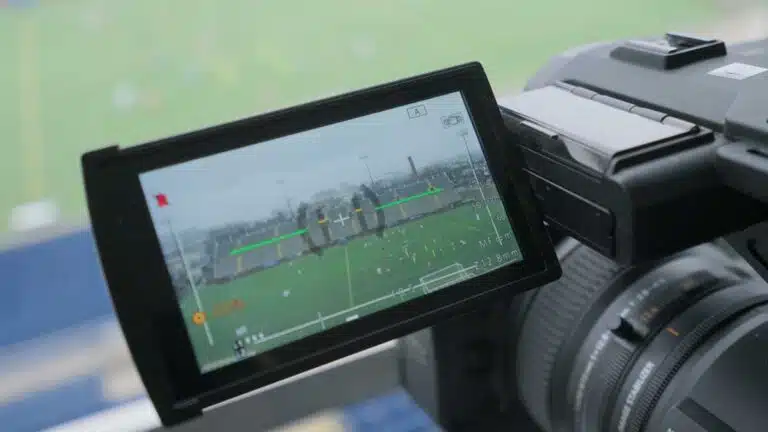
A camera source. This can be a dedicated video camera, a PTZ camera, or DSLR with a clean HDMI output. The camera connects to your encoder via HDMI or SDI — confirm which input your encoder supports before you show up for setup day.
An encoding device. For most school use cases, the Resi Mini encoder is the right starting point. It’s compact, simple to operate, and built to run Resi’s Resilient Streaming Protocol — which means it handles network hiccups without dropping your stream. Connect it to your camera, plug it into wired Ethernet, and it’s ready to go.
Note the emphasis on wired Ethernet. Wi-Fi is convenient. It’s also the most common cause of unstable school streams. If your streaming location doesn’t have a wired drop, that’s worth addressing before your first live event.
What You Need for a Simple Live Stream Setup at Your School
Once your equipment is in place, Resi Studio is where the configuration happens. The dashboard has more options than you’ll need on day one, so here’s what to focus on.
Channels and destinations. A channel is what you’re encoding. A destination is where your stream goes — your school website, YouTube, Facebook, or a combination. Set up a web channel first: it gives you a persistent embed code you can drop into your school’s website once and reuse for every future event.
Scheduling. You can schedule a stream in advance — set the date, time, and duration, and Resi handles the technical setup automatically. For your first stream, scheduling it in advance removes one more thing to manage in the moment.
Stream key. If you’re streaming to YouTube or Facebook in addition to your school’s website, you’ll need to connect your Resi account to those platforms. Resi’s dashboard walks through this setup, and it only needs to be done once per destination.
For a broader look at how schools are using live streaming to connect with students, families, and the community, this overview covers the full range of use cases.
Connecting Your Camera and Encoder in Minutes
Physical setup is the fastest part of this process once you’ve done it once.
Connect your camera to the Mini encoder using an HDMI cable. Connect the Mini to your network using an Ethernet cable — not Wi-Fi. Power the Mini on and give it 60 seconds to initialize. In the Resi dashboard, you should see the encoder listed as online and the signal from your camera appearing as active.
If you’re using a school that already runs ProPresenter for presentation software, ProPresenter Stream is worth knowing about. It’s a software encoder option that lets you stream directly from your ProPresenter setup using the same RSP technology as the hardware encoders — no additional hardware required.
Before the signal is confirmed, check your output resolution. Make sure your camera and encoder are set to the same resolution and frame rate. A mismatch here is a common source of early confusion and is easy to fix once you know to look for it.
Tips for a Smooth First Stream at Your School
The best thing you can do for your first stream is treat it like a rehearsal, not a premiere. Pick a low-stakes event — a staff meeting, a rehearsal, a practice session — and run a full end-to-end test with it. Stream it to a private or unlisted destination so you can evaluate the output without the pressure of a live audience.
During that test, check four things:
Upload speed. Run a speed test while the stream is active. The number under load is more useful than the number in isolation.
Video quality. Watch the stream on a separate device — not the screen connected to your encoder. What you see on a viewer’s screen is what matters.
Audio levels. Audio problems are the most common complaint from first-time streamers and the easiest to miss when you’re focused on the video side. Monitor your audio levels in Resi Studio and listen back on headphones.
Stream health. Resi’s dashboard shows encoder health indicators in real time. Familiarize yourself with what healthy looks like before you’re troubleshooting a live event.
When you find issues during a test, that’s exactly the right time to find them. Resi’s support team is available seven days a week if something comes up that you can’t resolve on your own.
Setting Up On-Demand Access for Missed Events
Not every parent can watch live. Not every community member knows the stream is happening. On-demand access turns a single live event into a resource that families can return to for days or weeks after it ends.
Resi On Demand handles this automatically. When your live stream ends, the recording is published without any manual upload or editing steps. You can organize content by event type — athletics, graduation, board meetings, performances — and give families a single destination they can bookmark.
Set this up before your first event. The request for the recording will come in before you’ve had a chance to think about it.