Live Stream City Council Meetings and Public Hearings
Public meetings.
Public access.
Resi is a live streaming platform for government that helps cities, counties, and agencies live stream city council meetings, public hearings, and board sessions to their website and social channels. Every meeting records automatically to a searchable archive, so residents can watch live or catch up later. Deliver reliable live streams, create searchable public archives, and make every meeting accessible through one connected platform.

Trusted by thousands of organizations across faith, education, government, events, and more.
























Customer Story
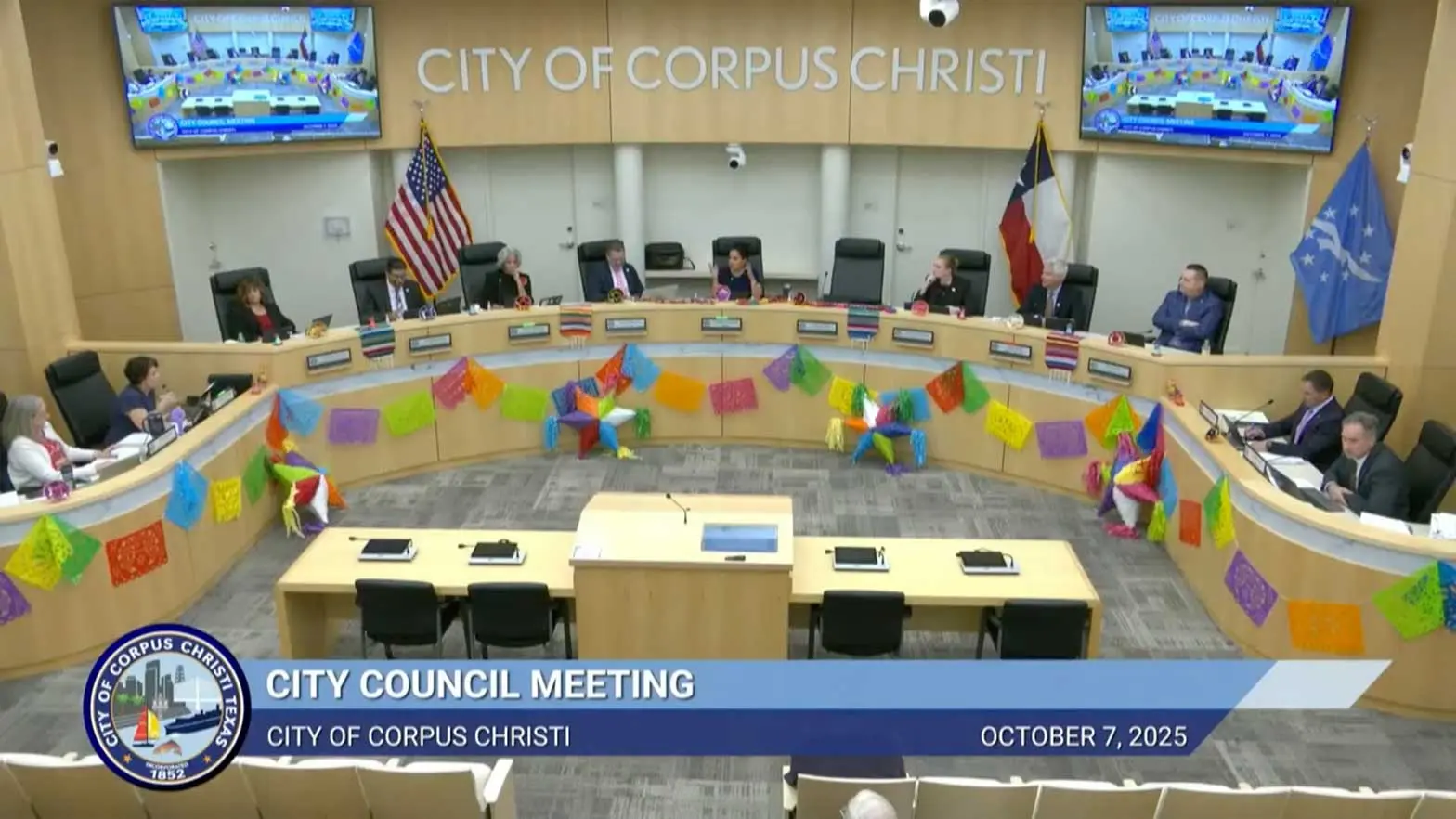
Expanding Public Access with the City of Corpus Christi
See how the City of Corpus Christi improved transparency and accessibility by delivering reliable live streams and on-demand access to council meetings and public communications.
- Increased community engagement
- On-demand public access
- Simplified staff workflows
How to Live Stream City Council Meetings
Many councils already have cameras and microphones in the chamber. Live streaming adds three things: an encoder, a delivery platform, and a place to archive the recording. With Resi, the setup looks like this:
- Connect your chamber audio and video. Feed your camera, switcher, or existing AV system into a Resi encoder.
- Schedule recurring meetings once. Set your regular council and committee meetings in Studio and they go live on time without staff starting each stream.
- Stream to every channel residents use. Send the same meeting to your website, YouTube, and Facebook at once.
- Protect the stream from network drops. Resi’s Resilient Streaming Protocol (RSP) resends lost data so the broadcast holds through unstable connections.
- Publish the record automatically. The recording saves to your on-demand library when the gavel falls, ready to embed on your meetings page.
The City of Elkhart used this approach when a state mandate required every public meeting to be broadcast. Read how Elkhart’s IT team met the mandate with Resi.
Built for mission-critical
Going live is
just the beginning.
Deliver. Extend. Preserve. Multiply. Reach audiences live, keep them engaged on demand, and turn every event into an experience that continues creating value long after it ends.
Products
Resi Live
Deliver the meeting.
Stream council meetings, public hearings, and community events with the reliability citizens expect and the simplicity staff need.
- Simultaneous multi-platform delivery
- Buffer-free resilient streaming (RSP)
- Automated scheduling and publishing
- Real-time audience analytics




Public Meeting Archives and On-Demand Records
Residents who miss a meeting still need access to it. Resi records every broadcast in the cloud and publishes it to a searchable library you can embed on your website or host on a branded, ad-free Media Site. Tag recordings by body, date, or agenda topic so clerks and residents find the right session in seconds. Learn more about Resi On Demand.
Captions and Accessibility for Public Broadcasts
Captions help residents who are deaf or hard of hearing follow every motion and vote. Resi’s Automated Subtitles add-on generates real-time subtitles in the Resi player and saves them with the on-demand recording. Studio AI adds editable transcripts, so staff can correct names and terms before a recording becomes part of the public record.
Features
Included in every plan.
Add-ons
Enhance the experience.
Use cases
Streaming Board, Commission and Emergency Briefings
Resi handles council, board, and commission meetings, plus emergency briefings, from one platform.
Council meetings
Provide reliable live and on-demand access to public meetings.
Learn MorePublic hearings
Increase accessibility and participation regardless of location.
Learn MoreTown halls
Connect leaders and residents beyond the capacity of a room.
Learn MoreBoard & commission meetings
Create a searchable archive of community decisions and discussions.
Learn MoreCommunity events
Broadcast ceremonies, announcements, and public celebrations.
Learn MoreEmergency communications
Reach citizens quickly through reliable live video and archived updates.
Learn MoreLess administration. More transparency.
Nothing gets lost
Automatic cloud recording creates a permanent archive of every meeting.
Simple to operate
Scheduling and automation reduce event-day workload for staff.
Reliable every time
Built for mission-critical communications where public access matters.
One platform
Provide live and on-demand access without managing multiple systems.
30,000+
Weekly Streams
99.99%
Uptime
1.2B
Minutes Streamed
<30 min
Ave Support response
Customer story
“I wanted to be able to confidently tell people: yes, we can live stream. With Resi, we can, without a doubt.”
— Stephen Gonzales, City of Corpus Christi Multimedia Manager
Read the case studyGovernment Live Streaming FAQs
How do you live stream a city council meeting?
Can we stream to our website, YouTube, and Facebook at the same time?
How do residents watch a meeting they missed?
Does Resi offer captions for public meetings?
What happens if the internet drops during a meeting?
Do we need dedicated AV staff to run it?
Start Streaming Now
Seeing it is better than reading about it.
A 20-minute demo with a Resi engineer is worth more than any product page.