School streaming has evolved from a nice-to-have feature to an essential communication tool. Whether you’re broadcasting board meetings to comply with state mandates, streaming graduation ceremonies for families who can’t attend, or sharing athletic events with your community, the encoder you choose determines whether your stream succeeds or fails.
The challenge isn’t just picking any encoder—it’s selecting the right one for your school’s specific needs, budget, and technical capabilities. Get it right, and you’ll create a reliable streaming system that runs smoothly for years. Get it wrong, and you’ll face technical headaches, failed streams during critical events, and frustrated stakeholders.
Understanding Encoder Types for Educational Streaming
An encoder converts your camera’s video signal into a digital format that can be streamed over the internet. Think of it as the translator between your production equipment and your streaming platforms. Without an encoder, your YouTube channel, Facebook page, or school website can’t receive your live video feed.
Schools typically choose between two encoder categories: hardware and software. Each serves different purposes and comes with distinct advantages.
Hardware encoders are dedicated physical devices built specifically for encoding video. They look like small boxes that connect to your camera and internet network. Software encoders, on the other hand, run on computers and use your computer’s processing power to handle encoding tasks.
The choice between these two options shapes everything else about your streaming setup—from initial costs to long-term reliability to how much technical expertise you’ll need on staff.
Hardware Encoders: Built for Reliability
Hardware encoders deliver the dependability schools need for high-stakes events. These dedicated devices handle one job and do it exceptionally well: encoding your video for live streaming.
Unlike computers running multiple applications, hardware encoders dedicate all their resources to encoding. This focused approach eliminates the variables that cause software-based systems to crash or freeze. You won’t deal with Windows updates interrupting a board meeting stream or background applications consuming processing power during graduation.
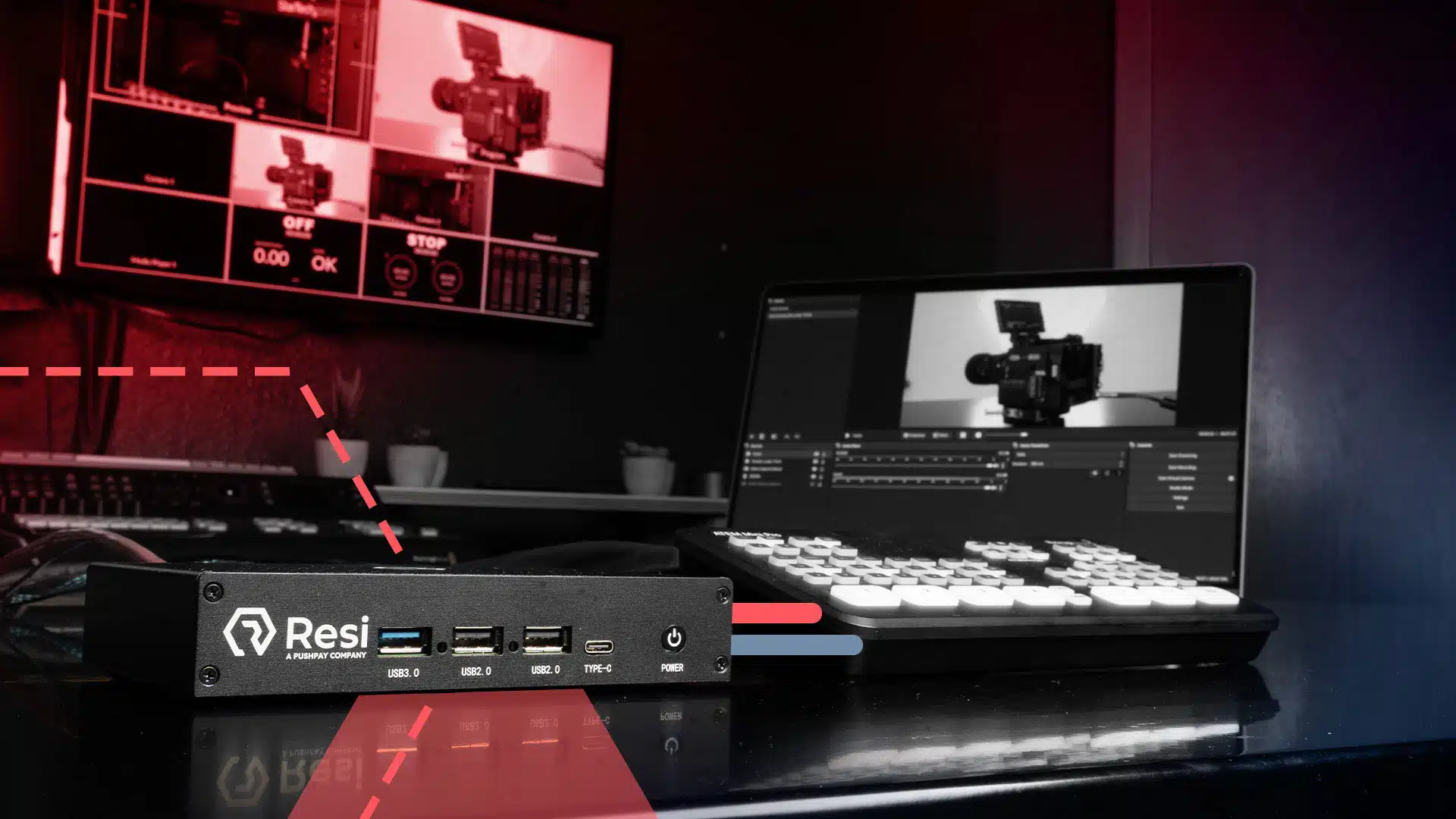
Resi’s Mini Encoder represents the sweet spot for most schools. Available in two configurations—HDMI ($699.99) and SDI ($1,099.99)—these compact units deliver professional-grade reliability without the complexity of enterprise equipment.
The HDMI version works perfectly with consumer cameras and modern production equipment. Most schools already own HDMI-compatible cameras, making this the plug-and-play option that requires minimal equipment changes.
The SDI version accommodates professional broadcast equipment and supports longer cable runs without signal degradation. If your auditorium already uses SDI infrastructure or you need to run cables more than 50 feet, the SDI model prevents the technical headaches that come with HDMI distance limitations.
Both models share the same core benefit: you set them up once, and they work reliably for every subsequent event. There’s no logging into software, no checking for updates before your stream, no wondering if the system will work when you press the start button.
For schools requiring 4K streaming quality or multi-site district deployments where you’re broadcasting from a central location to multiple campuses, server-grade encoders provide the additional capabilities those specialized scenarios demand.
Software Encoders: Cost-Effective Flexibility
Software encoders present an attractive entry point for schools testing streaming capabilities or working within tight budget constraints. These applications run on computers you may already own, eliminating the upfront hardware investment.
Resi’s ProPresenter Stream integration offers the most cost-effective path to reliable streaming. If your school already uses ProPresenter for presentations, you can add professional-grade streaming without purchasing additional equipment. The software leverages Resi’s streaming infrastructure while running on your existing computer.
Software encoders work well for specific scenarios. Schools exploring streaming before committing to hardware investment benefit from the lower barrier to entry. Temporary streaming needs—like a special event series lasting just a few weeks—don’t justify hardware purchases. Budget-constrained initial rollouts let you prove streaming value before requesting funds for dedicated equipment.
The trade-offs become apparent during sustained use. Software encoders share computer resources with other applications. Every browser tab, document, and background process competes for the processing power your encoder needs. This resource competition introduces instability during critical moments.
Computer-based encoding also depends on operating system stability. Automatic updates, security software, and application conflicts all threaten stream reliability. These variables matter little during a test stream but become critical during a board meeting with 500 community members watching.
Most schools start with software encoding to validate their streaming strategy, then transition to hardware encoders once streaming becomes a regular operational requirement. This progression lets you learn streaming fundamentals without major upfront investment while building the case for reliable equipment.
Essential Features for School Streaming Encoders
Choosing an encoder requires understanding which features directly impact your streaming success. Some specifications matter tremendously for schools, while others represent unnecessary complexity.
Input Options: HDMI vs. SDI
Your encoder’s input connections must match your existing equipment. HDMI works with consumer cameras, prosumer equipment, and modern presentation systems. If you’re purchasing cameras specifically for streaming, HDMI models cost less and offer easier setup.
SDI connections accommodate professional broadcast equipment and excel at longer cable distances. Educational institutions with existing SDI infrastructure—common in auditoriums and gymnasiums built or renovated in the past decade—benefit from encoders supporting these professional connections.
The choice isn’t about quality; both connection types deliver excellent video. It’s about compatibility with equipment you already own and the specific challenges of your installation locations.
Resolution and Frame Rate Support
1080p resolution at 30 frames per second represents the standard for educational streaming. This combination delivers clear, professional-looking video that streams reliably over school internet connections and displays well on viewers’ devices.
Higher resolutions sound appealing but rarely prove necessary for school applications. The jump to 4K requires significantly more bandwidth, specialized equipment, and viewing circumstances where audiences can actually perceive the difference. Board meetings, athletic events, and ceremonies don’t benefit from 4K resolution in ways that justify the added complexity and cost.
30 frames per second works perfectly for streaming platforms like YouTube, Facebook, and embedded website players. Most streaming destinations don’t support higher frame rates anyway, making 30fps the practical choice for reliable delivery.
Schools needing 4K streaming—perhaps for archival purposes or specialized broadcasts—should consider server-grade encoders designed specifically for those demanding applications.
Multi-Destination Streaming
Streaming to multiple platforms simultaneously extends your reach without multiplying your effort. Parents might prefer watching on Facebook, while community members visit your website, and board meeting archives require YouTube uploads.
Multi-destination streaming lets one encoder send your video to all these platforms at once. You manage one stream instead of three, and you ensure consistent quality across all destinations. This capability proves especially valuable for compliance-focused applications like board meetings, where you need archival copies while providing live public access.
The alternative—running separate streams to each destination—multiplies your bandwidth requirements and introduces multiple points of failure. One stream to multiple destinations reduces technical complexity while meeting all your distribution needs.
Resilient Streaming Protocol
Network reliability determines streaming success. School internet connections face congestion from hundreds of students, staff devices, and administrative systems. This variability threatens streaming stability during the events that matter most.
Resi’s Resilient Streaming Protocol (RSP) addresses network instability through intelligent buffering and packet management. When your network hiccups—and school networks inevitably do—RSP maintains stream continuity rather than cutting out or buffering for viewers.
This technology difference separates successful streams from failed ones. You can’t always control network conditions, but you can choose encoding systems designed to handle real-world network imperfections.
Matching Encoders to Common School Use Cases
Different streaming applications place different demands on encoding equipment. Understanding your primary use case helps you select the encoder that fits your actual needs rather than overpaying for capabilities you won’t use.
Board Meetings and Compliance Streaming
State mandates increasingly require school boards to livestream public meetings. These aren’t optional feel-good initiatives—they’re legal requirements with consequences for non-compliance.
Compliance streaming demands absolute reliability. You can’t apologize to the state attorney because your software encoder crashed or your network hiccupped during the budget vote. The stream must work, period.
Hardware encoders provide the set-it-and-forget-it reliability compliance streaming requires. Configure the encoder once, and it works identically for every meeting. No pre-stream troubleshooting, no interruptive software updates, no uncertainty.
Recording capabilities matter equally for compliance applications. Many states require meeting archives to remain accessible for years. Your encoder should provide you with a pixel-perfect copy of your event.
The Mini Encoder handles board meeting streaming perfectly. These meetings typically use one or two cameras, rarely require complex switching, and benefit tremendously from reliable plug-and-play operation.
Athletics and Sports
Athletic streaming lets you serve families who can’t attend games, share highlights with recruiters, and build community engagement around your sports programs.
Sports streaming benefits from reliable encoders that handle multiple camera angles and mixed audio sources. Games happen on predictable schedules, making them perfect candidates for set-and-forget automation. Configure your encoder for home games once, and it works for the entire season.
Audio mixing proves more critical for sports than many schools initially realize. Crowd noise, announcer commentary, and field sound require balanced mixing for watchable streams. Hardware encoders with dedicated audio inputs give you the control needed for professional-sounding sports broadcasts.
The recurring nature of athletic events rewards investment in reliable equipment. You’ll use your encoding system dozens of times each season across multiple sports. Hardware encoder reliability pays dividends across hundreds of events.
Auditorium Events: Graduations, Concerts, Theater
Auditorium events represent your school’s most visible streaming applications. Graduations, concerts, award ceremonies, and theatrical performances showcase student achievement while including families who can’t attend in person.
These events demand professional presentation. Technical failures during graduation don’t just frustrate viewers—they overshadow student accomplishments and damage your school’s reputation. The stakes justify investment in reliable equipment.
Professional audio integration matters tremendously for auditorium streams. Whether you’re streaming a musical performance or amplifying graduation speeches, audio quality determines viewing experience. Hardware encoders with professional audio inputs integrate cleanly with existing sound systems.
Auditorium streaming also benefits from simple operation. Different staff members handle different events, and not everyone has technical expertise. Equipment that works the same way every time reduces training requirements and eliminates variables during high-pressure events.
Budget Considerations and ROI
Understanding total cost of ownership helps you make smart encoding investments. The cheapest option rarely proves most economical when you account for reliability, support, and operational efficiency.
Calculate cost per event to understand real value. If you stream 50 events annually, a $699 encoder costs $14 per event in year one, dropping to just $3.50 per event over four years. Compare this to the reputational cost of a single failed graduation stream or the staff time spent troubleshooting unreliable software encoders.
Grant opportunities offset encoding costs for many schools. Technology grants, parent organization fundraising, and educational foundation support often cover streaming equipment. Position encoder purchases as community engagement investments that serve accessibility, transparency, and student achievement objectives.
Long-term reliability reduces operational burden. Staff members who aren’t worrying about streaming equipment can focus on students, instruction, and their primary responsibilities. The time savings from set-it-and-forget-it reliability compounds across dozens of events and multiple staff members.
Technical Requirements and Setup Complexity
Technical specifications matter less than you might think. Most schools overestimate the complexity of encoder setup and underestimate the importance of simplicity.
Network bandwidth requirements depend on stream quality. 1080p streaming typically requires 5-10 Mbps of upload bandwidth. Most schools have sufficient connectivity, but verify upload speeds before committing to streaming. Download speeds matter little—upload capacity determines streaming success.
Wired network connections outperform wireless for streaming reliability. Run an Ethernet cable to your encoder location rather than depending on WiFi. This single decision eliminates an entire category of potential streaming problems.
Physical installation proves straightforward for hardware encoders. Mount the unit near your camera, connect video and network cables, and you’re operational. The entire process takes minutes, not hours.
Resi’s platform simplifies configuration through intuitive web-based management. You don’t need technical expertise to set streaming destinations, adjust quality settings, or schedule streams. The platform guides you through setup and remembers your preferences for future events.
IT department involvement varies by school. Some schools prefer IT oversight of all network-connected devices; others let communications staff handle streaming independently. Hardware encoders support both approaches—they work reliably with or without extensive IT management.
Training requirements remain minimal for well-designed systems. If operating your encoder requires reading manuals or technical documentation, you’ve chosen overly complex equipment. The best systems work intuitively enough that occasional users succeed without extensive training.
Scalability and Future-Proofing Your Investment
Smart encoding decisions accommodate growth without forcing expensive do-overs. Think beyond your immediate needs to plan for expanding streaming programs.
Starting with one encoder proves most schools’ best approach. Establish reliable streaming for board meetings or major events, demonstrate value to stakeholders, and build organizational confidence before expanding. Success breeds support for additional investment.
Expandability matters when you’re ready to stream multiple simultaneous events. Some schools eventually need to broadcast basketball games in one gym while streaming wrestling matches in another. Your initial encoder choice should fit within a broader system that scales without abandoning previous investments.
Technology refresh cycles for hardware encoders typically span four to six years. Quality encoders remain functional longer, but evolving streaming standards and platform requirements eventually necessitate upgrades. Budget for eventual replacement rather than expecting indefinite hardware lifespan.
Firmware updates extend encoder utility by adding features and maintaining platform compatibility. Choose encoders from manufacturers committed to ongoing software support rather than treating encoders as disposable hardware.
Cloud-based management tools simplify multi-encoder operation. When you’re running streams from multiple locations, centralized management beats configuring individual devices. This capability matters little when you’re starting but proves valuable as streaming programs expand.
Server-grade solutions become relevant at specific scale points. Schools streaming in 4K quality or operating multi-site district deployments where central content is distributed to multiple campus locations benefit from enhanced encoding capabilities. Most schools never reach these thresholds, but knowing the upgrade path exists provides planning confidence.
Making Your Final Encoder Decision
Choosing an encoder boils down to matching capabilities to your actual needs. Start by honestly assessing your primary streaming applications and the reliability level they demand.
Schools focused on compliance streaming—board meetings and similar applications where failure isn’t acceptable—benefit most from hardware encoders. The reliability difference justifies the investment, and the simplified operation reduces ongoing technical burden.
Athletic and event streaming applications fall into similar territory. You’re using encoding equipment frequently enough that reliable, set-it-and-forget-it operation delivers clear value. The time saved troubleshooting problems exceeds the cost difference between hardware and software solutions.
Classroom and experimental streaming applications allow more flexibility. Software encoders work reasonably well when stakes are lower and you’re still determining whether streaming serves your educational objectives. Budget-conscious schools can validate streaming value before investing in dedicated hardware.
Evaluate vendor support alongside equipment specifications. Problems will arise—networks fail, platforms change requirements, users need guidance. Choose encoder providers committed to helping schools succeed rather than selling boxes and disappearing.
Trial periods remove decision uncertainty. Many vendors, including Resi, offer demonstration equipment or trial periods. Actually use the encoder in your environment with your equipment before committing to purchase.
Implementation timelines matter less than getting the decision right. Schools that rush encoding purchases often select wrong-sized equipment or incompatible systems. Take the time to assess needs, involve appropriate stakeholders, and make informed choices.
Success metrics for post-deployment evaluation should focus on reliability and simplicity rather than technical specifications. Did your streams work when they needed to? Could staff operate the equipment without extensive support? Did streaming serve your community engagement objectives? These practical measures determine whether your encoder choice succeeded.
Your encoding decision shapes your streaming program for years. Choose equipment sized appropriately for your actual needs, from vendors supporting long-term success, with reliable performance that lets you focus on content rather than technical challenges.
Ready to see how Resi’s encoding solutions work in your school? Book a demo to discuss your specific streaming needs and experience the reliability that helps schools succeed.