Before you add anything to your streaming budget, check this: most audio problems in live streaming aren’t gear problems. They’re configuration problems. The same setup that produces muddy, echo-heavy, over-compressed audio for your stream can produce clean, clear, broadcast-quality audio with a few targeted adjustments.
That’s good news. It means you don’t have to wait for a budget approval to sound better. You can fix most of what’s wrong this weekend.
Why Audio Is the First Thing Viewers Notice (and the First Reason They Leave)
There’s a principle in production that sounds counterintuitive until you’ve seen it play out: viewers will tolerate lower video quality, but they won’t tolerate bad audio. A slightly soft image is forgiven. A muffled speaker, a room full of reverb, or audio that cuts out mid-sentence sends people clicking away — and they usually don’t come back.
Audio problems are among the top reasons viewers drop off during church streams, and most of them aren’t hardware failures. They’re the predictable result of a stream mix that’s getting whatever the FOH mix sends, configured by someone who set it up once and hasn’t touched it since.
Here are five things you can fix without spending a dollar.
How to Improve Live Stream Audio Quality Without Buying New Equipment
Win 1: Fix your gain staging.
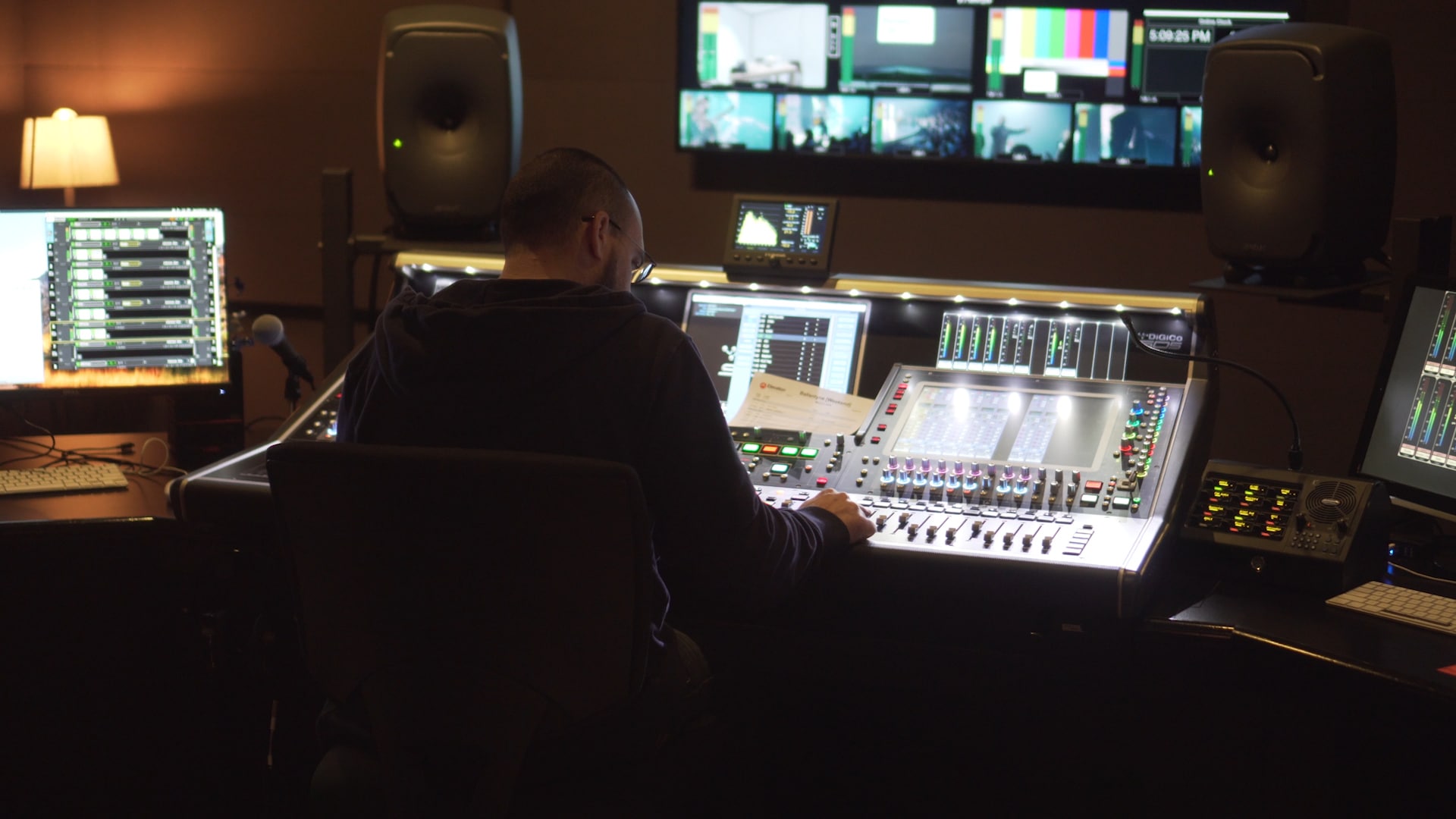
Overdriven audio is the single most common live stream audio problem, and it’s entirely preventable. Check your mixer’s input gain levels before every stream. If your meters are consistently peaking into the red, your signal is clipping — and clipping audio is ugly in a way that no downstream processing can fix.
The target for live stream audio is consistent levels with headroom. Your vocal channels should peak around -12 to -6 dBFS in your DAW or streaming software, with occasional transients pushing higher. If everything is running hot, pull the gain back before you touch anything else.
Win 2: Kill the room.
Echo and reverb are worse on stream than they are in person. In a room, your brain compensates. Through a speaker or headphones, reverb turns speech into mush. If your stream audio has noticeable room sound, the solution is almost always about mic placement — moving the source closer to the microphone reduces the ratio of direct to reflected sound and cleans up the signal dramatically.
This applies to lavalier mics, podium mics, and choir or room mics. If the mic is more than a few feet from the primary audio source, the room is part of the signal.
Win 3: Create a dedicated stream mix.
Your FOH mix is tuned for the room. The people sitting in front of a subwoofer experiencing the full-frequency impact of a worship band are getting a completely different signal than viewers listening through laptop speakers or earbuds.
If you’re pulling your stream audio from a direct out or an aux send, you have the ability to create a mix that’s optimized for headphones and small speakers — less low-end energy, more presence on vocals, compression that keeps levels consistent without pumping. A beginner’s guide to audio mixing for church live streaming covers this workflow in detail.
Win 4: Check every cable connection.
Ground loops and intermittent connections are responsible for a surprising number of stream audio problems — the hum, the pop, the crackle that only appears on stream and never during sound check in the room. These problems are invisible until they’re audible, and they’re usually caused by a cable that looks fine but isn’t.
Walk your entire audio signal chain and check every connection: XLR cables, snake connections, the feed from your mixer to your encoder, the interface connecting your audio system to your streaming setup. A cable that’s been bent at a sharp angle for two years in a cable bundle is a liability.
Win 5: Monitor your stream audio in real time.
This one sounds obvious, but most production teams monitor their in-room mix and assume the stream is fine. The stream audio is a separate signal path, and problems in it won’t be audible in the room.
Open Resi Studio during your service and watch the audio level meters for your stream. Better: use a separate device — a phone or laptop — to watch the stream itself from a viewer’s perspective. What you hear on that device is what your audience is experiencing.
Quick Tips for Better Live Stream Audio Using What You Already Have
A few additional adjustments worth making before your next stream:
Mic position. A lavalier mic that’s clipped too low on a jacket, or a podium mic that’s been angled away from the speaker, is the most common source of thin, distant audio. Before the service, confirm mic placement is consistent with how the speaker will actually stand and move.
Phantom power. If you’re running condenser microphones, phantom power must be enabled on your mixer or interface. Missing it is silent — the mic appears to work, but you get a weak, noisy signal that’s easy to confuse with a bad mic.
Test recordings. Run a 30-second test recording and listen back on headphones before every major event. What sounds acceptable in a live room sounds different in a recording, and 30 seconds before the service beats discovering the problem when you’re reviewing the recording on Monday.
Understanding what a good church sound system setup looks like for live streaming and what the ideal church microphone setup looks like are both worth a read once you’ve addressed the quick wins.
When Fixes Aren’t Enough: Knowing When It’s Actually a Gear Problem
If you’ve worked through all five of the above and the audio is still consistently poor, you may be dealing with an actual equipment limitation. Signs that it’s a genuine hardware issue rather than a configuration one: the problem is consistent across every stream regardless of settings, the problem is reproducible with different cables and different source signals, or the problem appeared immediately after a specific piece of equipment started being used.
What to check first: your audio interface (if you’re using one), the age and condition of your main signal snake, and the output connections on your mixer. Mixer outputs degrade over time and are one of the most frequently overlooked sources of audio quality problems in church production.Before purchasing anything, make one call to Resi support. Audio chain troubleshooting is something they’ve done a thousand times.